projects › main
Mind Traffic Control
A light-weight, terminal based To-Do Queue. And a "project mapping" tool.
Mind Traffic Control started as a to-do queue. It reads a classic todo.txt file, and focuses on showing only the next item in the queue, and in giving the user various searching and sorting operations to manage them.
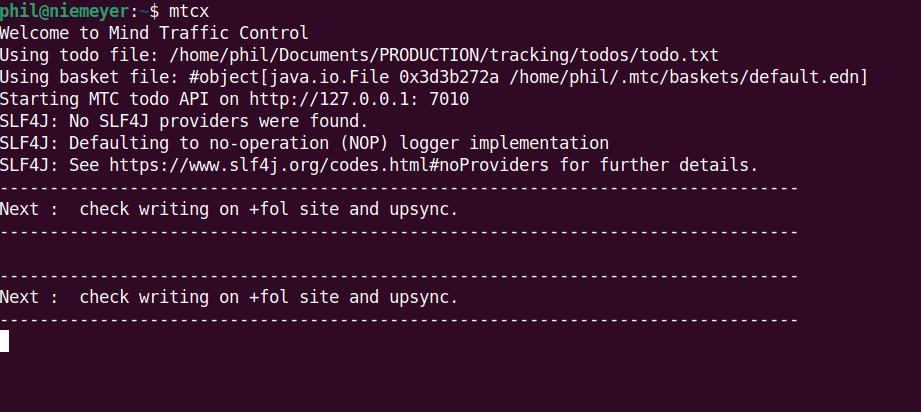
Yes, it's minimal. All it does is show you the top item. Until you either remove the item (you did it or decided not to) or "throw" it back down the queue (bringing another item to the front).
There is also a search, so you can see all items matching a string.
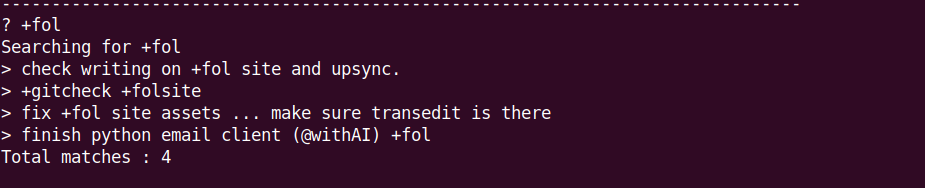
But mtc is meant to do very little. Its job is to remind you what to do next, not to persuade you to spend time in mtc.
I later combined mtc with a separate tool I needed to help me manage the many projects scattered haphazardly around my machine. A bottom-up project mapping application using what I call "mushrooms".
The Mushroom System
A mushroom is a small metadata file I plant in a directory or repo.
To create one, I type mushroom --new <projectid> and it creates a MUSHROOM.edn file in that directory.
MUSHROOM files have a specific structure, and can contain an id, name and description, tags like languages, relations to other projects etc.
Later I can type mushroom --gather which will run around the file-system and find the MUSHROOM files, collating the data into a single up-to-date "basket" file.
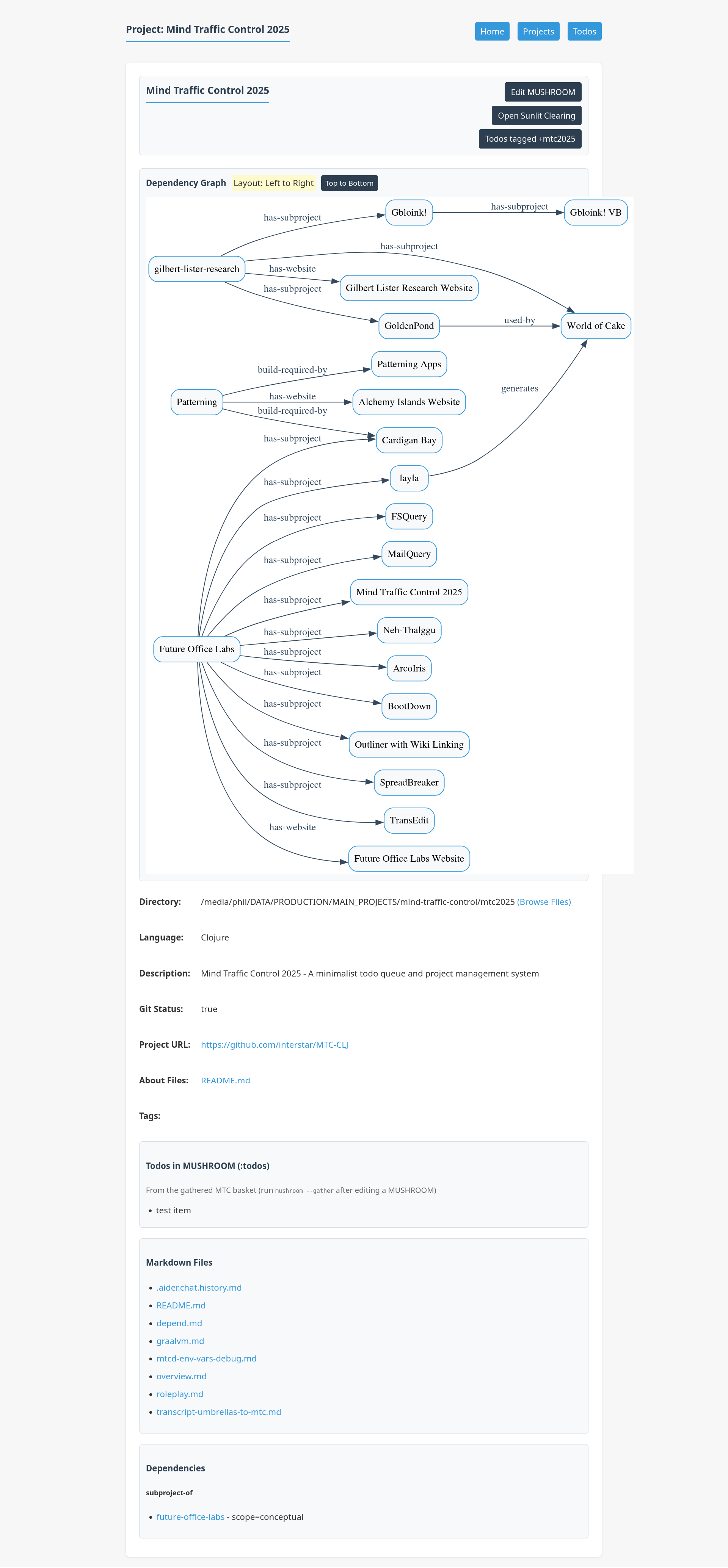
A separate basket application provides a web interface through which I can browse the interconnected network of projects. The page for a project shows not only the content of the mushroom file itself, but lets me see the directory (and subdirs), lets me read any markdown documents it contains, lets me see to-do items from the MTC queue tagged with the id of the project, shows me a diagram of relations to other projects, and gives me links to drill down into other tools I have for more technical analysis of the project. I can also edit the MUSHROOM file through this web interface.
MTC is aware of mushrooms, so it's also possible to see the MUSHROOM file for a particular id in it.
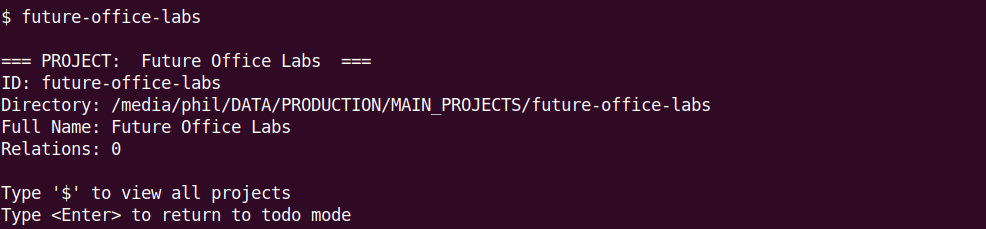
The beauty of mushrooms is that they solve the main problem of almost any system for organisation. The effort of getting data into the system. A single call to mushroom in the terminal in the project's directory is sufficient to create the MUSHROOM file and assign the project an id. And that is sufficient to "import" the project into the global system. After which further information can be added through piecemeal annotation. Furthermore, the location of a project depends on where we find the MUSHROOM. So I can making big changes to where I keep things on the disk, and all I have to do is rerun mushroom --gather to update the basket with information about where the projects are.