projects › small tools
TransEdit
An editor with Python processing.
For a long time I noticed that there were two ways I wanted to work with files. Particularly files that were the output of some other process. For example a log file or a stack trace. Or just the output printed by another program.
One way was to load the file into a standard editor. Maybe make some ad hoc changes to it. Or search for some data in it. The other way was to pipe it through a number of processes in the terminal. To filter it with grep. Make a some repeated changes with awk or sed. Or to write a python script.
What frustrated me was that there was no way to conveniently combine these two modes. Filtering and processing was non-destructive. But hard to see. The results just scrolled off the screen. Unless piped into another file. And then I'd have to open that file in an editor to see the result. In an editor it was possible to do search and replace all, but that was destructive.
What I realised is I wanted the best of both worlds, the non-destructive filtering and standard changes of the command line tools in an editor.
Hence "TransEdit" (transforming editor).
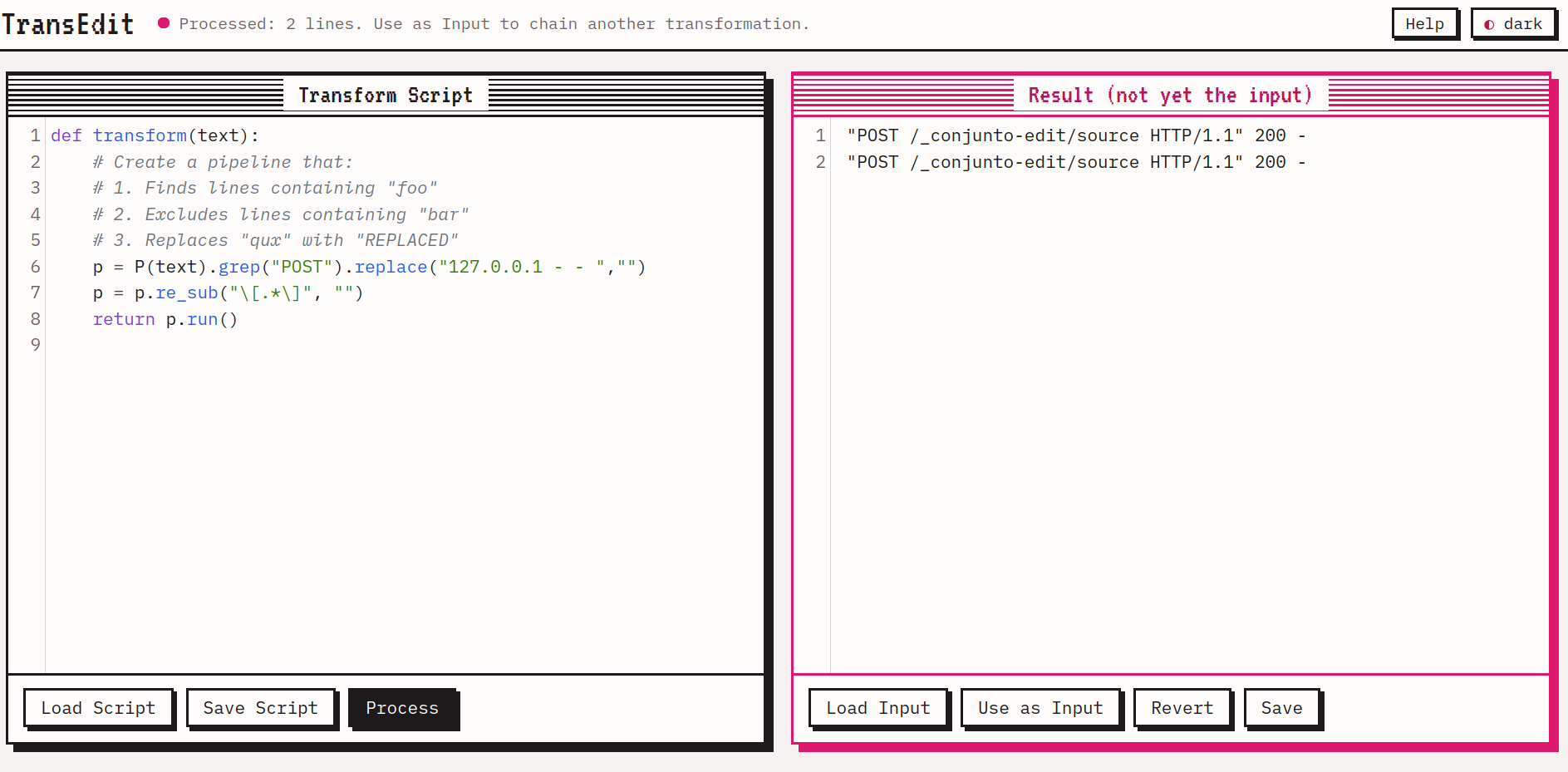
TransEdit has two text editors, side by side. On the left we write a python function. On the right, the text we are interested in processing. Either loaded from a file or pasted directly in.
The python just has to define one function, transform(), whose input is the old text buffer, and whose output is a new text. To help, we have a couple of classes, including P(), the "pipeline" class. P is constructed with the buffer's contents, and provdes a fluent interface for adding a number of filters and transformations to the pipeline. You can mix filters such as grep() with transformations such as replace(). And finally call p.run() to split the file into line, run each line through the pipeline, and join the result of the transformation back into a single string as the return value.
Once the transform function is written, the user clicks the Process button to run it, after which the results are shown in the right panel.